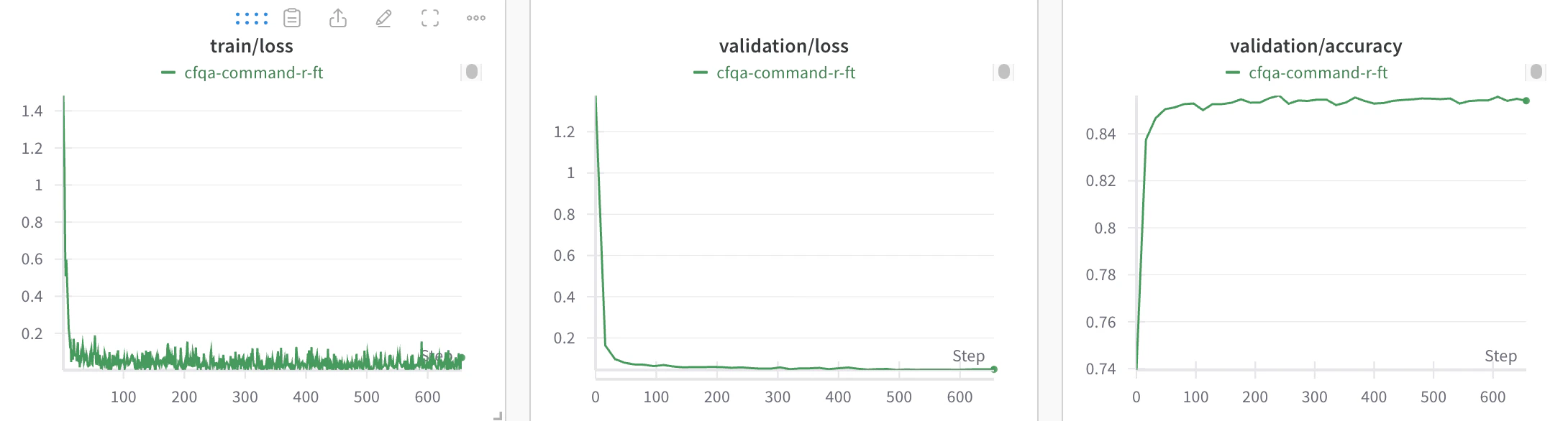
With W&B, you can log your Cohere model’s fine-tuning metrics and configuration to analyze your models’ performance and share results with your colleagues. This page shows you how to connect a Cohere fine-tuning run to a W&B project so that W&B captures training and validation metrics, hyperparameters, and run metadata automatically in your workspace. It’s intended for users who are already fine-tuning Cohere models and want centralized experiment tracking. For a full example of how to start a fine-tuning run, see the Cohere fine-tuning guide, and refer to the Cohere API reference for theDocumentation Index
Fetch the complete documentation index at: https://wb-21fd5541-style-guide-models-integrations-20260527-015516.mintlify.app/llms.txt
Use this file to discover all available pages before exploring further.
wandb setting.
Log Cohere fine-tuning results
To add Cohere fine-tuning logging to your W&B workspace, do the following:-
Create a
WandbConfigwith your W&B API key, W&Bentity, andprojectname. The API key authenticates the Cohere job with W&B, and the entity and project determine where W&B logs your runs. Create an API key in your W&B user settings. Replace[WANDB-API-KEY]in the following example with your API key. -
Pass this config to the
FinetunedModelobject along with your model name, dataset, and hyperparameters to start your fine-tuning run. Thewandbsetting configures Cohere to stream metrics to your W&B project during the run. -
View your model’s fine-tuning training and validation metrics and hyperparameters in the W&B project that you created.