

The DeepChem library provides open source tools that democratize the use of deep learning in drug discovery, materials science, chemistry, and biology. This W&B integration adds experiment tracking and model checkpointing while training models with DeepChem. Use this page to add W&B logging to your DeepChem training workflow so that you can track training loss, evaluation metrics, and model checkpoints across experiments. This guide is for users who already train models with DeepChem and want to add experiment tracking with minimal code changes.Documentation Index
Fetch the complete documentation index at: https://wb-21fd5541-style-guide-models-integrations-20260527-015516.mintlify.app/llms.txt
Use this file to discover all available pages before exploring further.
DeepChem logging in 3 lines of code
WandbLogger instance into a DeepChem model attaches W&B logging to the training run, so metrics produced during fit automatically stream to your W&B project.
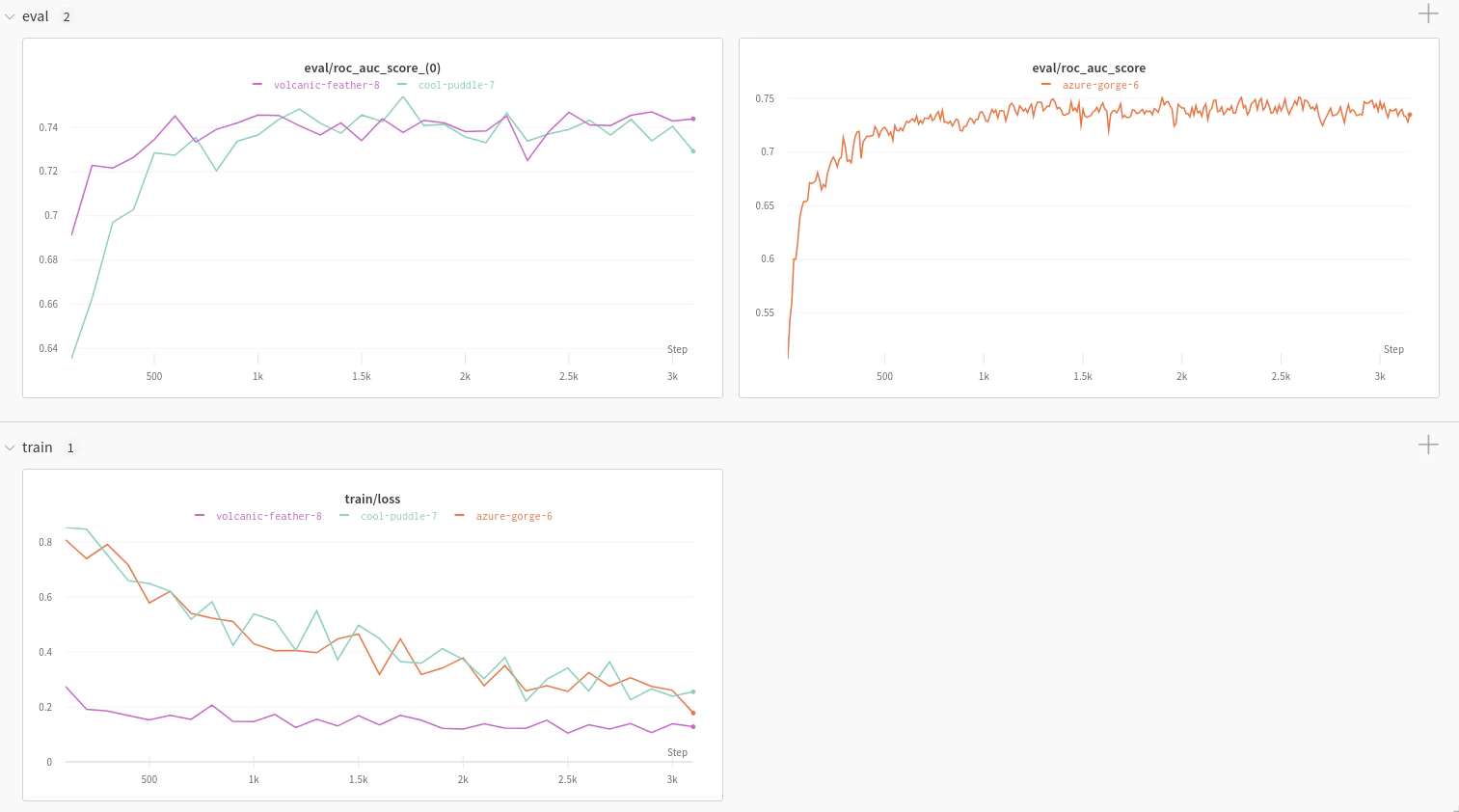
Report and Google Colab
The following resources show the integration in practice before you wire it into your own code:- Explore the W&B with DeepChem: Molecular Graph Convolutional Networks article for example charts generated using the W&B DeepChem integration.
- To dive straight into working code, check out this Google Colab.
Track experiments
The remainder of this page walks through how to set up an API key, install thewandb library, and enable logging for either a TorchModel or KerasModel.
Set up W&B for DeepChem models of type KerasModel or TorchModel.
Sign up and create an API key
An API key authenticates your machine to W&B. You can generate an API key from your user profile.For a more streamlined approach, create an API key by going directly to User Settings. Copy the newly created API key immediately and save it in a secure location such as a password manager.
- Click your user profile icon in the upper right corner.
- Select User Settings, then scroll to the API Keys section.
Install the wandb library and log in
To install the wandb library locally and log in:
- Command Line
- Python
- Python notebook
-
Set the
WANDB_API_KEYenvironment variable to your API key. -
Install the
wandblibrary and log in.
Log your training and evaluation data to W&B
Withwandb installed and authenticated, you can now attach a WandbLogger to your DeepChem model so that training and evaluation data flow to W&B.
Training loss and evaluation metrics log to W&B automatically. To enable optional evaluation, use the DeepChem ValidationCallback. The WandbLogger detects the ValidationCallback and logs the metrics it produces.
- TorchModel
- KerasModel
model.fit runs, training loss and any evaluation metrics emitted by the ValidationCallback appear in your W&B project under the run created by WandbLogger.