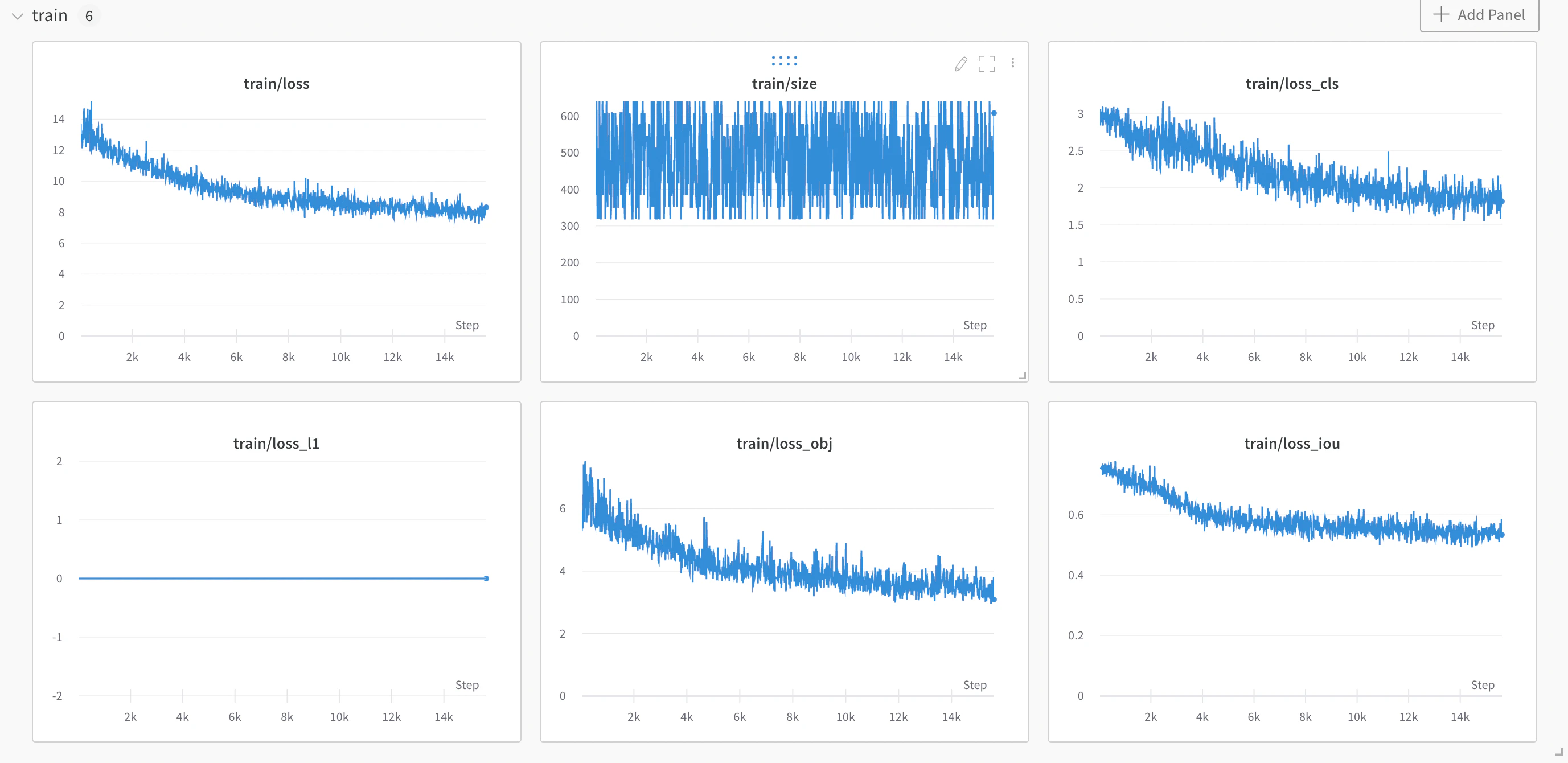
PaddleDetection is an end-to-end object-detection development kit based on PaddlePaddle. It detects mainstream objects, segments instances, and tracks and detects keypoints using configurable modules such as network components, data augmentations, and losses. PaddleDetection includes a built-in W&B integration that logs all your training and validation metrics, as well as your model checkpoints and their corresponding metadata. By following this guide, you enable the PaddleDetectionDocumentation Index
Fetch the complete documentation index at: https://wb-21fd5541-style-guide-models-integrations-20260527-015516.mintlify.app/llms.txt
Use this file to discover all available pages before exploring further.
WandbLogger so that W&B automatically tracks your object detection experiments, making it easier to compare runs, monitor progress, and reproduce results.
The PaddleDetection WandbLogger logs your training and evaluation metrics to W&B as well as your model checkpoints while training.
For a worked example, read a W&B blog post that illustrates how to integrate a YOLOX model with PaddleDetection on a subset of the COCO2017 dataset.
Sign up and create an API key
An API key authenticates your machine to W&B. You can generate an API key from your user profile.For a more streamlined approach, create an API key by going directly to User Settings. Copy the newly created API key immediately and save it in a secure location such as a password manager.
- Click your user profile icon in the upper right corner.
- Select User Settings, then scroll to the API Keys section.
Install the wandb library and log in
To install the wandb library locally and log in:
- Command Line
- Python
- Python notebook
-
Set the
WANDB_API_KEYenvironment variable to your API key. -
Install the
wandblibrary and log in.
Activate the WandbLogger in your training script
With the wandb library installed and your machine authenticated, turn on the WandbLogger for your PaddleDetection training job. You can do this either through command-line arguments or by editing your config file.
- Command Line
- `config.yml`
To use
wandb through arguments to train.py in PaddleDetection:- Add the
--use_wandbflag. - The first
wandbarguments must be preceded by-o(you only need to pass this once). - Each individual argument must contain the prefix
wandb-. For example, any argument to pass towandb.init()gets thewandb-prefix.