

Documentation Index
Fetch the complete documentation index at: https://wb-21fd5541-style-guide-models-integrations-20260527-015516.mintlify.app/llms.txt
Use this file to discover all available pages before exploring further.
W&B supports embedded TensorBoard for W&B Multi-tenant Cloud.
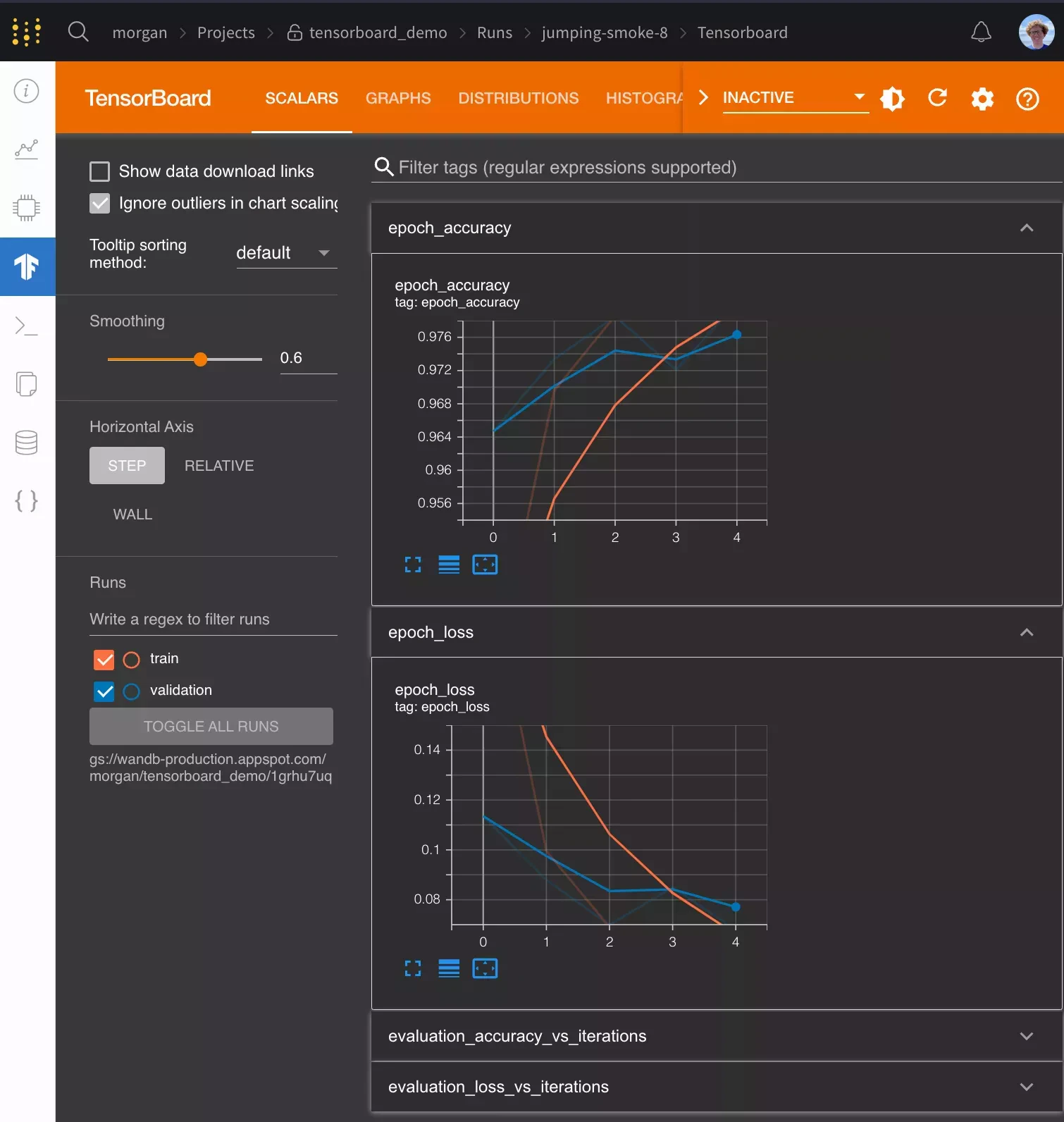
Get started
To enable TensorBoard syncing, setsync_tensorboard=True when you initialize a W&B run. W&B automatically uploads any TensorBoard events your training code emits.
git state, and the terminal command the run used.
W&B supports TensorBoard with all versions of TensorFlow. W&B also supports TensorBoard 1.14 and later with PyTorch as well as TensorBoardX.
Frequently asked questions
The following sections answer common questions about customizing the TensorBoard integration, including logging extra metrics, configuring the patch, syncing historical runs, and using notebook environments.How can I log metrics to W&B that aren’t logged to TensorBoard?
If you need to log additional custom metrics that aren’t logged to TensorBoard, you can callwandb.Run.log() in your code: run.log({"custom": 0.8}).
Setting the step argument in run.log() is turned off when syncing TensorBoard. If you’d like to set a different step count, you can log the metrics with a step metric as:
run.log({"custom": 0.8, "global_step": global_step})
How do I configure TensorBoard when I’m using it with wandb?
If you want more control over how W&B patches TensorBoard, call wandb.tensorboard.patch() instead of passing sync_tensorboard=True to wandb.init().
tensorboard_x=False to this method. If you’re using TensorBoard later than 1.14 with PyTorch, pass pytorch=True to patch it. Both of these options have sensible defaults depending on what versions of these libraries you’ve imported.
By default, W&B also syncs the tfevents files and any .pbtxt files. This lets W&B launch a TensorBoard instance on your behalf. You see a TensorBoard tab on the run page. To turn off this behavior, pass save=False to wandb.tensorboard.patch.
How do I sync historical TensorBoard runs?
If you have existingtfevents files stored locally and you would like to import them into W&B, you can run wandb sync log_dir, where log_dir is a local directory containing the tfevents files.
How do I use Google Colab or Jupyter with TensorBoard?
If you run your code in a Jupyter or Colab notebook, make sure to callwandb.Run.finish() at the end of your training. This finishes the wandb run and uploads the TensorBoard logs to W&B so they can be visualized. This isn’t necessary when you run a .py script, because wandb finishes automatically when a script finishes.
To run shell commands in a notebook environment, you must prepend a !, as in !wandb sync directoryname.
How do I use PyTorch with TensorBoard?
If you use PyTorch’s TensorBoard integration, you may need to manually upload the PyTorch Profiler JSON file.Can I sync tfevents files stored in the cloud?
wandb 0.20.0 and later supports syncing tfevents files stored in S3, GCS, or Azure. wandb uses the default credentials for each cloud provider. The following table lists the command to configure credentials and the expected logging directory format for each provider:
| Cloud provider | Credentials | Logging directory format |
|---|---|---|
| S3 | aws configure | s3://bucket/path/to/logs |
| GCS | gcloud auth application-default login | gs://bucket/path/to/logs |
| Azure | az login1 | az://account/container/path/to/logs |
Footnotes
-
You must also set the
AZURE_STORAGE_ACCOUNTandAZURE_STORAGE_KEYenvironment variables. ↩