

This page shows you how to log your OpenAI GPT-3.5 or GPT-4 model’s fine-tuning metrics and configuration to W&B. By integrating W&B with OpenAI’s fine-tuning API, you can track your fine-tuning experiments, models, and datasets in one place and share results with your colleagues. This guide is for ML practitioners who fine-tune OpenAI models and want centralized experiment tracking and version control over the training data and resulting models.Documentation Index
Fetch the complete documentation index at: https://wb-21fd5541-style-guide-models-integrations-20260527-015516.mintlify.app/llms.txt
Use this file to discover all available pages before exploring further.
See the OpenAI documentation for a list of models that you can fine-tune.
Install or update OpenAI Python API
Before you sync fine-tuning results, make sure you have a compatible version of the OpenAI Python client installed. The W&B OpenAI fine-tuning integration works with OpenAI version 1.0 or later. See the PyPI documentation for the latest version of the OpenAI Python API library. To install the OpenAI Python API, run:Sync your OpenAI fine-tuning results
This section shows you how to send the metrics and configuration from an OpenAI fine-tuning job to W&B so you can review them alongside your other experiments. To do this, use theWandbLogger class from the wandb.integration.openai.fine_tuning module.
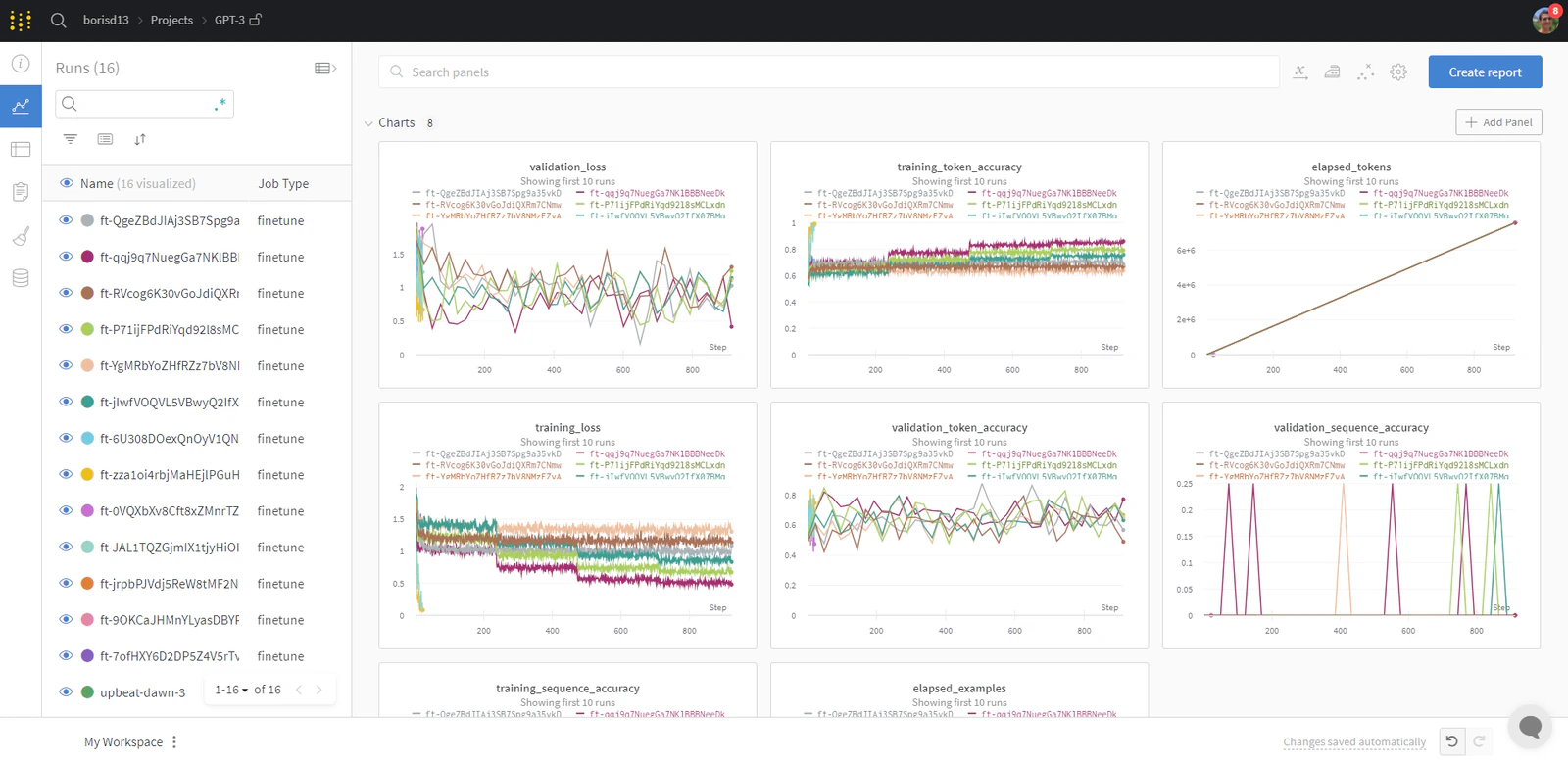
Sync your fine-tunes
Sync your results from your script. The following example shows both the minimal one-line call and the full set of optional parameters you can pass to control how the sync behaves.Reference
The following table describes each argument accepted byWandbLogger.sync.
| Argument | Description |
|---|---|
fine_tune_job_id | The OpenAI fine-tune ID you get when you create your fine-tune job with client.fine_tuning.jobs.create. If this argument is None (default), W&B syncs all OpenAI fine-tune jobs that haven’t already been synced. |
openai_client | Pass an initialized OpenAI client to sync. If you don’t provide a client, the logger initializes one. The default is None. |
num_fine_tunes | If you don’t provide an ID, W&B logs all unsynced fine-tunes. This argument lets you select the number of recent fine-tunes to sync. If num_fine_tunes is 5, W&B selects the 5 most recent fine-tunes. |
project | W&B project name where W&B logs your fine-tune metrics, models, data, and so on. By default, the project name is "OpenAI-Fine-Tune". |
entity | W&B username or team name where you send runs. By default, W&B uses your default entity, which is usually your username. |
overwrite | Forces logging and overwrites the existing wandb run for the same fine-tune job. The default is False. |
wait_for_job_success | An OpenAI fine-tuning job takes some time after it starts. To ensure that W&B logs your metrics as soon as the fine-tune job finishes, this setting checks every 60 seconds for the fine-tune job status to change to succeeded. Once the fine-tune job succeeds, W&B syncs the metrics automatically. The default is True. |
model_artifact_name | The name of the logged model artifact. Defaults to "model-metadata". |
model_artifact_type | The type of the logged model artifact. Defaults to "model". |
**kwargs_wandb_init | Any additional argument passed directly to wandb.init(). |
Dataset versioning and visualization
When you sync a fine-tuning job, W&B also captures the training and validation data so you can version it and explore it interactively. The following subsections describe what W&B tracks and how to view it.Versioning
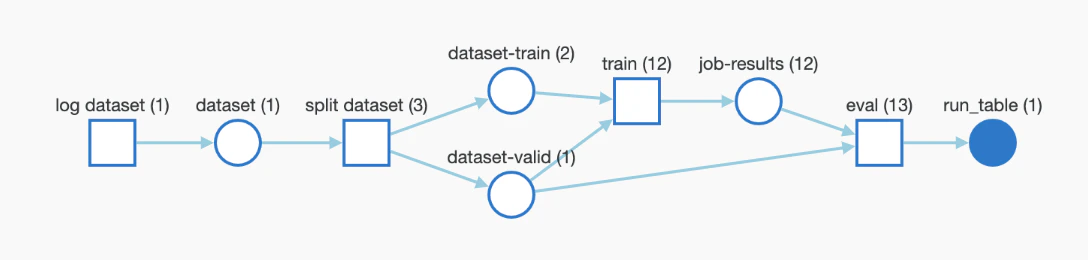
The training and validation data that you upload to OpenAI for fine-tuning are automatically logged as W&B Artifacts for easier version control. The following image shows a view of the training file in Artifacts. You can see the W&B run that logged this file, when it was logged, the version of the dataset, the metadata, and DAG lineage from the training data to the trained model.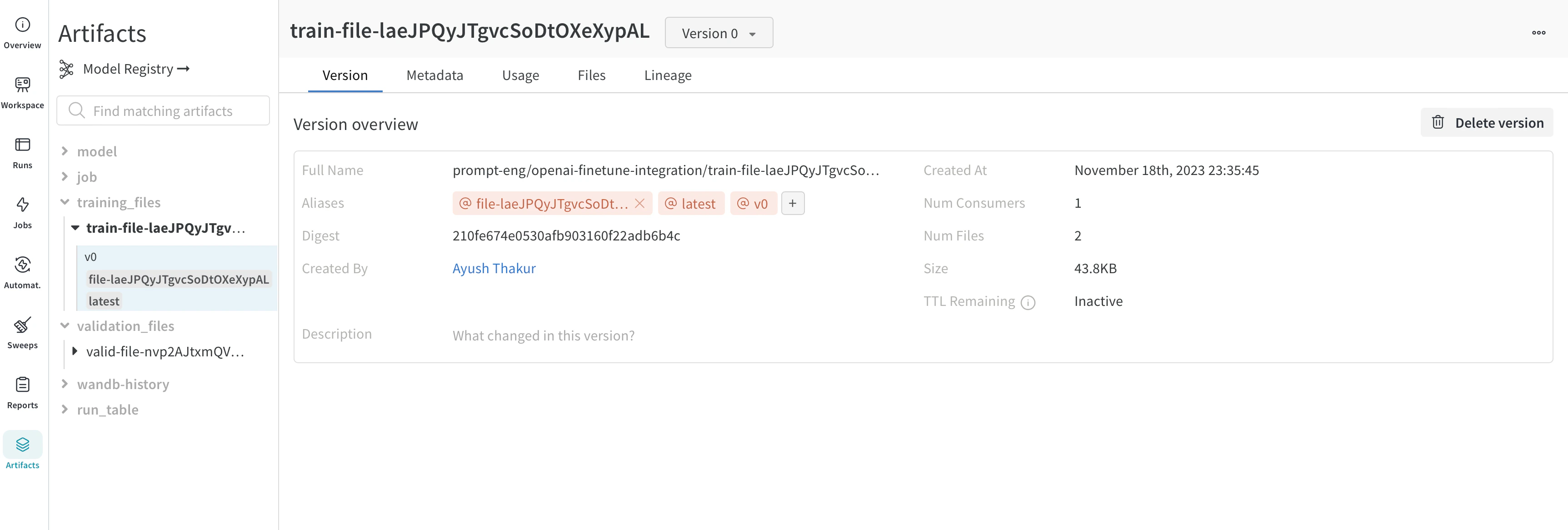
Visualization
W&B visualizes the datasets as W&B Tables, which lets you explore, search, and interact with the dataset. The following image shows training samples visualized in W&B Tables.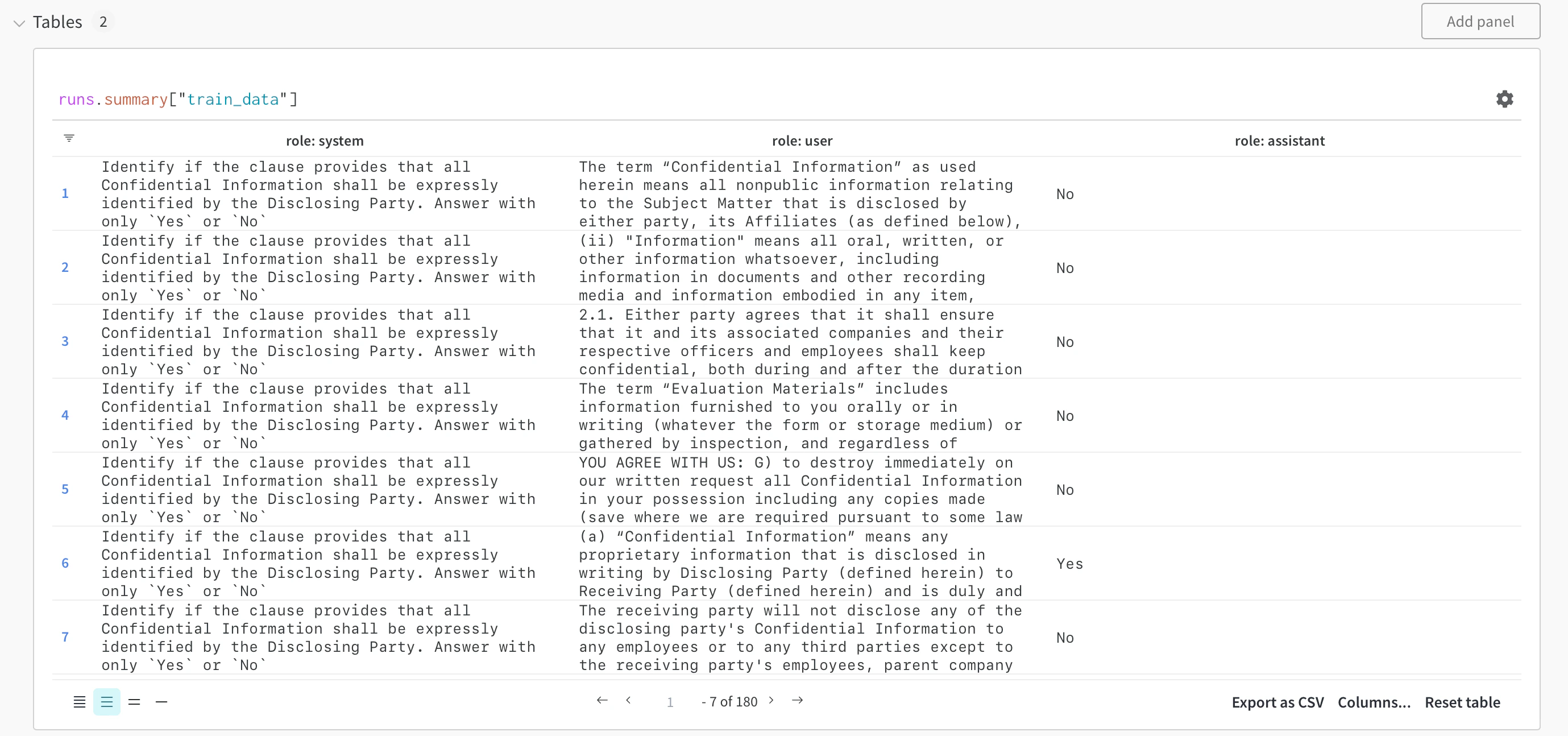
The fine-tuned model and model versioning
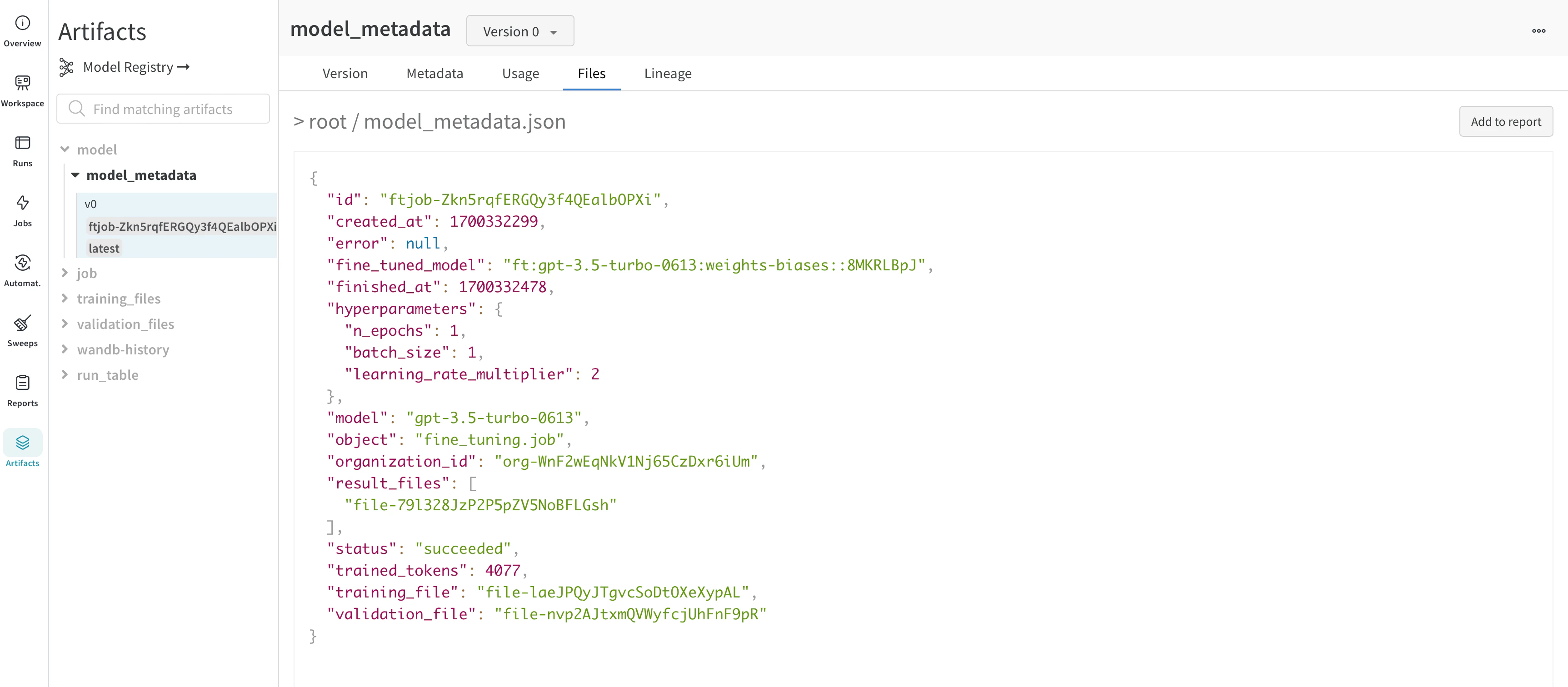
OpenAI doesn’t expose the underlying weights of a fine-tuned model, so W&B tracks the model by capturing its metadata instead. OpenAI gives you an ID of the fine-tuned model. Since you don’t have access to the model weights, theWandbLogger creates a model_metadata.json file with all the details (hyperparameters, data file IDs, and so on) of the model along with the fine_tuned_model ID, and logs it as a W&B Artifact.
You can link this model (metadata) artifact to a model in the W&B Registry.
Frequently asked questions
The following sections answer common questions about sharing, organizing, and recovering fine-tuning runs synced from OpenAI.Share fine-tune results with your team
Log your fine-tune jobs to your team account with:Organize your runs
W&B automatically organizes your runs. You can filter and sort them based on any configuration parameter such as job type, base model, learning rate, training filename, and any other hyperparameter. You can also rename your runs, add notes, or create tags to group them. Once you’re satisfied, save your workspace and use it to create a report, importing data from your runs and saved artifacts (training and validation files).Access your fine-tuned model
W&B logs the fine-tuned model ID as artifacts (model_metadata.json) and as config.
[VERSION] placeholder is one of the following:
- A version number such as
v2. - The fine-tune ID such as
ft-xxxxxxxxx. - An alias added automatically such as
latest, or added manually.
fine_tuned_model ID by reading the downloaded model_metadata.json file.
Recover a fine-tune that didn’t sync
If a fine-tune wasn’t logged to W&B successfully, useoverwrite=True and pass the fine-tune job ID:
Track datasets and models with W&B
W&B logs the training and validation data automatically as artifacts. W&B also logs the metadata, including the ID for the fine-tuned model, as artifacts. You can also control the pipeline with low-levelwandb APIs like wandb.Artifact, wandb.Run.log, and so on. This gives you full traceability of your data and models.
Resources
For deeper background and end-to-end examples, see the following resources.- OpenAI Fine-tuning Documentation for thorough guidance and tips.
- Demo Colab.
- How to Fine-Tune Your OpenAI GPT-3.5 and GPT-4 Models with W&B report.