

torchtune is a PyTorch-based library that streamlines authoring, fine-tuning, and experimentation for LLMs. torchtune also has built-in support for logging with W&B, which enhances tracking and visualization of training processes. This guide shows you how to enable W&B logging in torchtune recipes, configure theDocumentation Index
Fetch the complete documentation index at: https://wb-21fd5541-style-guide-models-integrations-20260527-015516.mintlify.app/llms.txt
Use this file to discover all available pages before exploring further.
WandBLogger metric logger, understand which metrics torchtune tracks by default, and save model checkpoints to W&B Artifacts. It’s for practitioners who fine-tune LLMs with torchtune and want to track experiments in W&B.
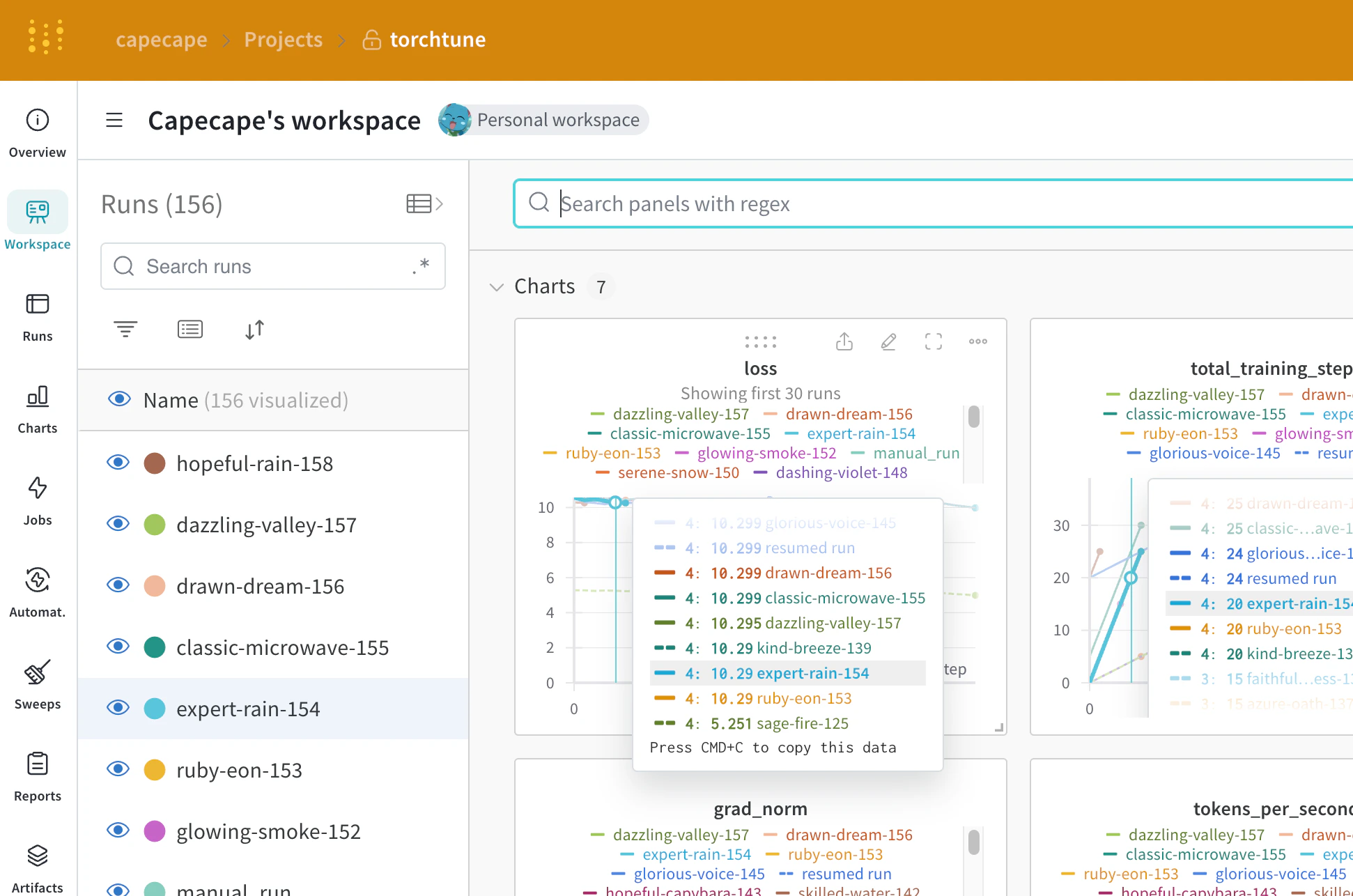
Enable W&B logging
You can enable W&B logging in two ways: override arguments at launch from the command line, or edit the recipe’s config file. Choose whichever fits your workflow.- Command line
- Recipe
Override command-line arguments at launch:
Use the W&B metric logger
Enable W&B logging on the recipe’s config file by modifying themetric_logger section. Change the _component_ to torchtune.utils.metric_logging.WandBLogger class. You can also pass a project name and log_every_n_steps to customize the logging behavior.
You can also pass any other kwargs as you would to the wandb.init() method. For example, if you work on a team, you can pass the entity argument to the WandBLogger class to specify the team name.
- Recipe
- Command line
Logged data
After you enable W&B logging, you can explore the W&B dashboard to see the logged metrics. By default, W&B logs all of the hyperparameters from the config file and the launch overrides, so you have a record of each run’s configuration alongside its metrics. W&B captures the resolved config on the Overview tab. W&B also stores the config in YAML format on the Files tab.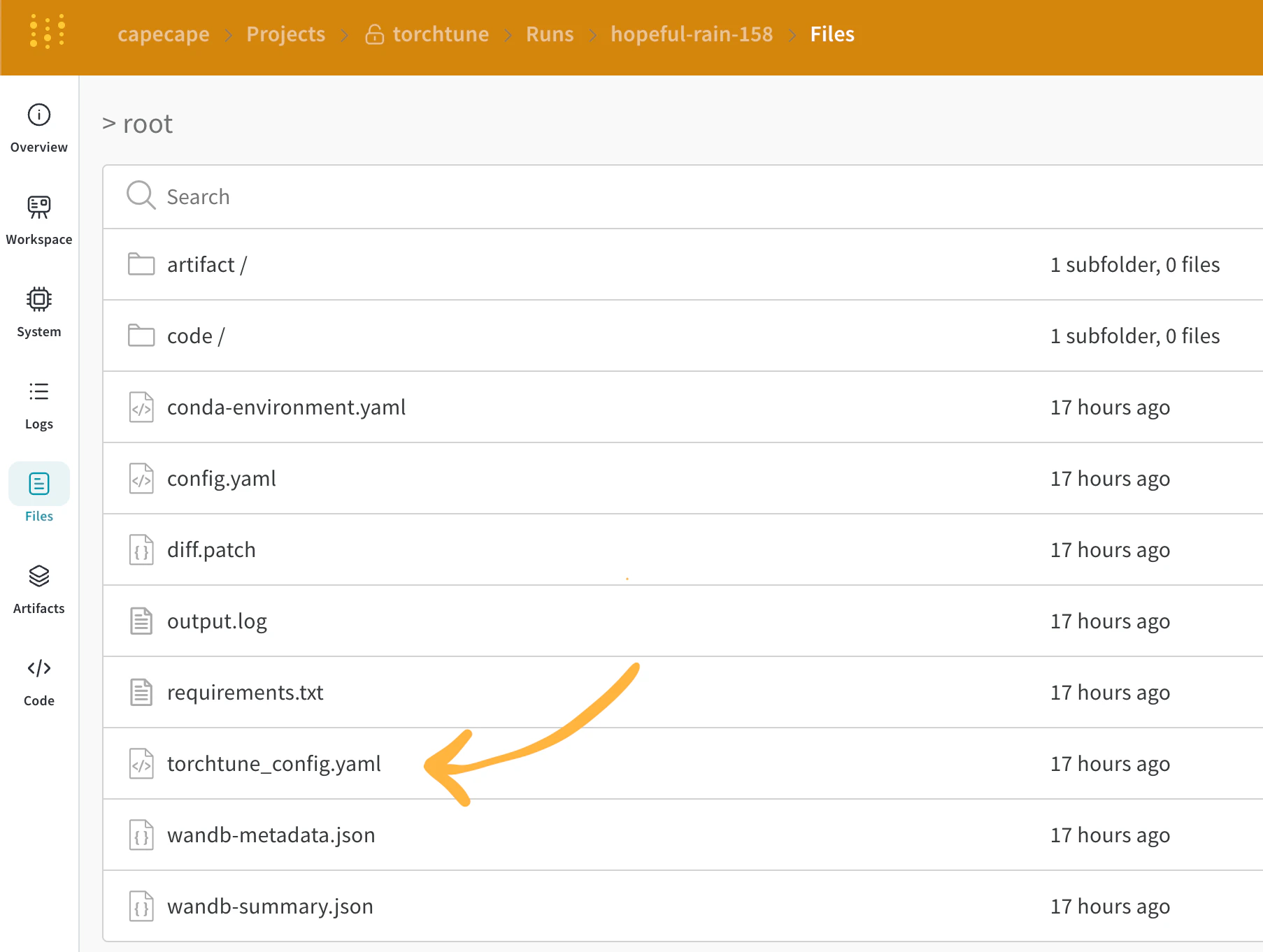
Logged metrics
Each recipe has its own training loop. Check each individual recipe to see its logged metrics, which include these by default:| Metric | Description |
|---|---|
loss | The loss of the model. |
lr | The learning rate. |
tokens_per_second | The tokens per second of the model. |
grad_norm | The gradient norm of the model. |
global_step | Corresponds to the current step in the training loop. Accounts for gradient accumulation. Each time an optimizer step runs, the model updates, the gradients accumulate, and the model updates once every gradient_accumulation_steps. |
global_step isn’t the same as the number of training steps. It corresponds to the current step in the training loop and accounts for gradient accumulation. Each time an optimizer step runs, global_step increments by 1. For example, if the dataloader has 10 batches, gradient accumulation steps is 2, and you run for 3 epochs, the optimizer steps 15 times, so global_step ranges from 1 to 15.current_epoch as a percentage of the total number of epochs like this:
The set of logged metrics can change between torchtune releases. To add a custom metric, modify the recipe and call the corresponding
self._metric_logger.* function.Save and load checkpoints
Save checkpoints to W&B Artifacts to version model weights alongside the metrics and configuration of each run, so you can reproduce results and compare model versions later. The torchtune library supports several checkpoint formats. Depending on the origin of the model you use, you must switch to the appropriate checkpointer class. To save the model checkpoints to W&B Artifacts, the recommended approach is to override thesave_checkpoint functions inside the corresponding recipe.
The following example shows how to override the save_checkpoint function to save the model checkpoints to W&B Artifacts.